
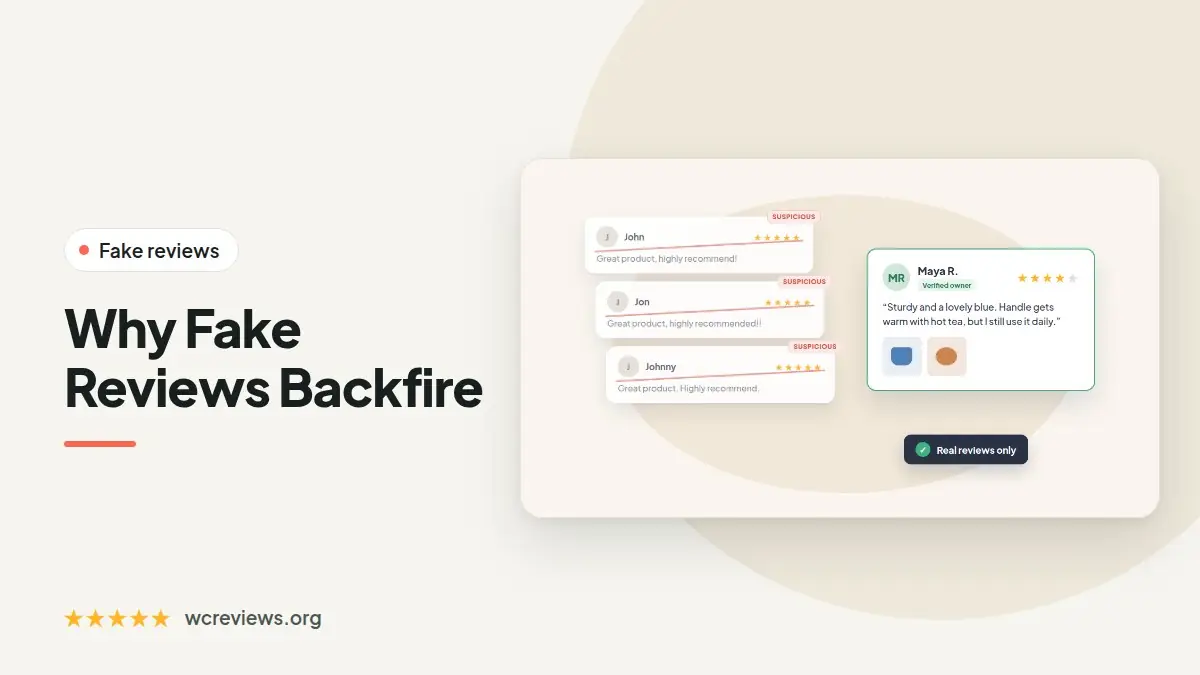
If you’ve searched for a plugin that adds fake reviews to WooCommerce, you’re not alone. An empty product page is hard to sell from, and a few made-up five-star reviews look like a quick fix. But fake reviews are one of the riskiest shortcuts a store can take. They can bring large fines, cost you your star ratings in Google, and lose the trust of shoppers who spot them.
This guide explains what counts as a fake review, why fake review plugins backfire, how shoppers spot fake reviews, how to keep fake reviews off your store, and honest ways to fill an empty product page quickly.
What Counts as a Fake Review
A fake review is any review that misleads shoppers about who wrote it or what their experience was. That includes:
- Made-up reviews, written by you, a tool, or an AI generator, from customers who don’t exist.
- Bought reviews, paid for from a review service or freelancer.
- Insider reviews, written by staff, family, or friends without saying who they are.
- Copied reviews, taken from another seller’s listing, such as Amazon or AliExpress reviews of a similar product. Our guide on importing reviews into WooCommerce explains which reviews you can safely bring over.
- Reviews for a reward that depends on a positive rating, such as “5 stars for a discount.” See our guide to offering incentives for reviews.
- Fake negative reviews posted about a competitor.
Why Fake Review Plugins Backfire
They can bring large fines
In the US, the FTC’s Consumer Reviews and Testimonials Rule, in force since October 2024, makes it illegal for a business to write, create, or buy reviews that misrepresent whether the reviewer exists, whether they used the product, or what their experience was. It also covers undisclosed reviews from a company’s own staff and managers.
Because it’s a formal FTC rule, the FTC can seek civil penalties from businesses that knowingly break it, for each violation. The maximum is adjusted for inflation and was set at $53,088 per violation in 2025. A plugin that adds dozens of fake reviews could, in principle, mean dozens of violations. Other countries, including the UK and EU member states, also treat fake reviews as unfair or misleading practices.
They can cost you your stars in Google
Google’s manual actions report lists a “Structured data issue” penalty, including for reviews “written by the site or person providing the service.” If Google decides your review markup breaks its guidelines, you can lose the star ratings that make your products stand out in search results. Our guide to showing star ratings in Google explains how those stars work.
Shoppers notice
Shoppers are better at spotting fake reviews than many store owners expect. Once one review looks fake, they start doubting the rest, including the genuine ones. And a store caught faking reviews is easy to share and hard to forget.
They hide what you need to know
Real reviews tell you what customers like, what confuses them, and what goes wrong. Fake reviews drown that out, so you lose the feedback that helps you improve products and descriptions.
How Shoppers Spot Fake Reviews
These are the patterns shoppers look for. They’re also worth checking on your own store, in case spam or a competitor has left fake reviews:
- A sudden burst of reviews within a few days, especially on a new product.
- Every review is five stars, with no criticism at all.
- Vague, generic praise, such as “Great product, highly recommend!”, with no details about the product itself.
- Similar wording across several reviews, or the same phrases repeated.
- No “verified owner” label on reviews when the store normally shows one.
- Details that don’t match, such as a review mentioning a color or size you don’t sell, or dated before the product launched.
- Odd reviewer names, such as a run of first-name-only reviewers with similar names.
How to Keep Fake Reviews Off Your WooCommerce Store
Fake reviews don’t only come from store owners. Spammers, bots, and occasionally competitors post them too. These settings and habits keep them out.
1. Show the “verified owner” label
In WooCommerce > Settings > Products, in the Reviews section, check Show “verified owner” label on customer reviews. Shoppers can then see which reviews come from real buyers. Our guide to WooCommerce review settings explains every option in this section.
2. Consider allowing reviews from verified owners only
In the same section, Reviews can only be left by “verified owners” limits the review form to logged-in customers who bought the product. It’s the strongest protection against fake reviews from strangers. The trade-off: customers who check out as guests can’t review unless they log in to an account linked to their order, so you may get fewer reviews overall.
3. Moderate reviews before they go live
In Settings > Discussion, Comment must be manually approved holds every review for you to check first. Approve genuine reviews promptly, including critical ones, and apply the same rules to every review. Removing honest negative reviews is its own problem, covered in our guide on responding to negative reviews.
4. Use spam protection
WooCommerce reviews are stored as WordPress comments, so comment spam filters such as Akismet check them too. A CAPTCHA or honeypot plugin on the review form adds another layer against bots.
5. Watch for unusual patterns
Once a month, scan your newest reviews for the warning signs above, such as bursts, repeated wording, or reviews from the same email domain or IP address. WordPress shows the reviewer’s email and IP address in Products > Reviews, which helps you spot a single source posting many reviews.
6. Set clear rules for your team
Make sure staff, family, and friends know not to review your products without saying who they are. Under the FTC rule, undisclosed reviews from insiders are a problem even when they’re honest.
What the “Verified Owner” Badge Proves, and What It Doesn’t
The “verified owner” label is useful, but it’s worth knowing exactly what it means. WooCommerce shows it when the reviewer’s email address or account matches an order for that product with a paid status, meaning Processing or Completed.
So it does show that the review is linked to a real purchase of that product in your store. It doesn’t prove that the customer used the product, that the review text is fair, or that the order wasn’t later returned. It’s a strong signal, not a guarantee. That’s why moderation and honest review practices still matter.
Honest Ways to Fill an Empty Product Page
The reason most stores consider fake reviews is simple: a product with no reviews doesn’t sell as well. These honest alternatives work, and they keep working:
- Ask every customer automatically. A review reminder a few days after delivery is the single biggest driver of reviews. See how to send review reminders in WooCommerce.
- Write better requests. Short, friendly emails with a direct link get far more replies. Use our review request email templates.
- Import your real reviews from a previous store or your own marketplace shop.
- Offer a fair thank-you, such as a small discount for any honest review, clearly disclosed.
- Collect photo and video reviews. They’re more convincing to shoppers and much harder to fake than text. ReviQuo adds photo and video reviews to WooCommerce, and holds video reviews for your approval by default so you can check them before they appear. Disclosure: ReviQuo is our plugin.
For a full plan, read how to get more reviews on WooCommerce.
Frequently Asked Questions
Is it illegal to add fake reviews to my store?
In the US, yes. The FTC’s rule makes it illegal for a business to write, create, or buy reviews that misrepresent who wrote them or what their experience was, and the FTC can seek civil penalties. Many other countries have similar rules. This guide isn’t legal advice.
Are fake review plugins for WooCommerce safe to use?
No. Even if a plugin is technically harmless to your site, the reviews it creates can break consumer protection law and Google’s guidelines, and damage shoppers’ trust once spotted.
Can “verified owner” reviews be fake?
The label shows the reviewer bought the product from your store, so it’s much harder to fake than an anonymous review. But it doesn’t prove the review is fair or that the customer kept the product.
What should I do about a fake review on my store?
If it’s clearly spam or fake, for example it mentions a product you don’t sell or comes from someone with no order, remove it under review rules you apply to every review. If you’re not sure, reply politely and ask the reviewer to contact you.
Can my staff review our products?
Only if they clearly say they work for you. Undisclosed reviews from employees, managers, or their families can break the FTC’s rule even when they’re honest.
Are AI-written reviews fake?
If the review is presented as coming from a customer who didn’t write it, or doesn’t exist, yes. When it announced the rule, the FTC named AI-generated fake reviews as one of the things it covers.
Real Reviews Win
To recap: fake reviews risk fines, your Google stars, and your shoppers’ trust. Protect your store with the “verified owner” label, moderation, and spam filters, and fill empty product pages the honest way, by asking every customer, importing your real reviews, and collecting photos and videos.
Collect real photo and video reviews from verified customers with ReviQuo.