
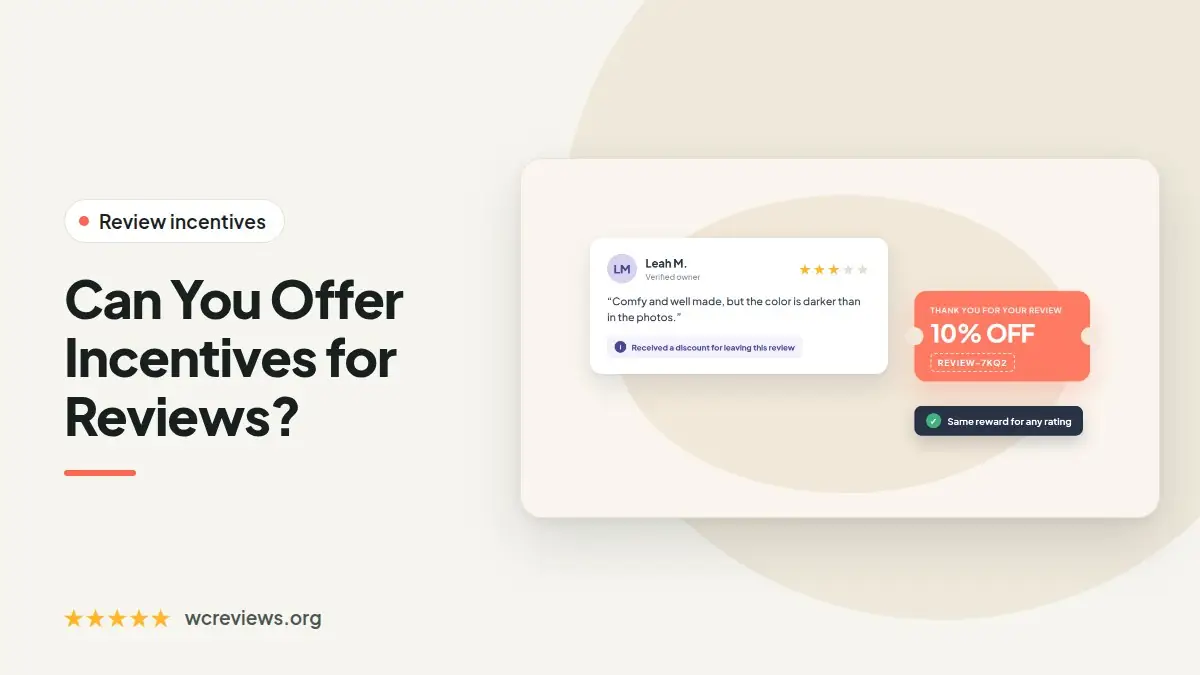
Yes, you can usually offer customers an incentive for leaving a review on your own store, such as a discount on their next order. But two conditions matter. The reward must not depend on the review being positive, and shoppers must be told that the reviewer got something in return. Get either one wrong and an honest thank-you turns into a deceptive practice.
This guide explains what the rules say, where incentives aren’t allowed at all, what to offer, how to word your request, how to disclose incentivized reviews, and how to set up review rewards in WooCommerce.
The Short Answer
On your own website, an incentive for reviews is generally fine when:
- Every reviewer gets the same reward, whatever they say. A 1-star review earns the same coupon as a 5-star one.
- You don’t ask for a positive review. You ask for an honest one.
- Shoppers can see that the review was incentivized. A clear note near the review tells them the reviewer received something.
- You show all eligible reviews, not just the good ones.
Google reviews and many marketplaces are different. They don’t allow incentives at all, even for honest reviews. More on that below.
What the Rules Say
This section covers US rules from the Federal Trade Commission (FTC), which many stores follow as a baseline. Other countries have their own consumer protection rules, so check what applies where you sell.
Rewards can’t depend on the review being positive
The FTC’s Consumer Reviews and Testimonials Rule, in force since October 2024, makes it illegal for a business to offer compensation or other incentives in exchange for reviews when the incentive is “conditioned expressly or by implication on” the review “expressing a particular sentiment, whether positive or negative” (16 CFR 465.4).
“Expressly” means saying it outright, such as “Leave a 5-star review and get 10% off.” “By implication” covers hints, such as only sending the coupon to happy customers, or only approving the reviews you like.
Incentivized reviews need to be disclosed
The FTC’s Endorsement Guides treat a discount or free product as a “material connection” between the reviewer and your business, one that shoppers might not expect. Such connections “must be disclosed clearly and conspicuously” (16 CFR 255.5). The guides give an example of incentivized product reviews and say that reviews which don’t clearly disclose the incentive are likely to be deceptive. They also note that if incentivized reviews noticeably raise a product’s average rating, shoppers who see that average may need a disclosure too.
Disclosure doesn’t fix a biased incentive
The same guides are clear that if reviewers must be positive, or believe they’ll face consequences for a negative review, adding a disclosure isn’t enough. The incentive itself is the problem.
Where You Can’t Offer Incentives at All
- Google reviews. Google’s contributed content policy says businesses may not “Offer incentives – such as payment, discounts, free goods and/or services – in exchange for posting any review.” It also bans selectively asking only happy customers for reviews. Incentivized Google reviews can be removed.
- Marketplaces. Many marketplaces, including Amazon, ban incentivized reviews outside their own official programs. Check the rules of each platform you sell on.
- Review sites you don’t control. Third-party review platforms usually set their own rules. Read them before offering anything for a review posted there.
A useful habit: if you offer a reward for reviews on your own store, keep your Google review requests completely separate and reward-free.
What to Offer
Good incentives are small, easy to use, and bring the customer back:
- A discount on the next order, such as 5% to 15% off. This is the most common choice, and it doubles as a reason to shop again.
- Free shipping on the next order.
- Loyalty points, if you already run a loyalty program.
- A bigger reward for photo or video reviews. These take more effort and are more useful to shoppers, so it’s reasonable to thank people more for them. The reward is for the effort, not the opinion.
Keep the reward modest. A generous reward attracts low-effort reviews written only to collect it, and makes shoppers trust incentivized reviews less.
Practical safeguards help too. Make each coupon single-use, tie it to the reviewer’s email address, give it an expiry date, and consider only rewarding customers who actually bought the product.
How to Word Your Request
The wording is where most stores slip up. Ask for honesty, mention the reward plainly, and make it clear the reward doesn’t depend on the rating.
On the review form
Share an honest review and get 10% off your next order. Every review counts, good or bad.
In a review request email
Subject: How did your turn out?
Hi [first name],
We’d love to hear what you think of your . Whether you loved it or it wasn’t quite right, an honest review helps other shoppers decide.
As a thank-you, everyone who leaves a review gets [reward] off their next order, whatever rating they give.
[Write your review]
Thanks,
[Your name]
Phrases to avoid
- “Leave us a 5-star review and get…”
- “If you’re happy with your order, review us for a discount”
- “Get a coupon for a positive review”
- “Love it? Review it and save 10%”
Each of these links the reward to a good review, either directly or by only inviting happy customers. For more templates, see our guide to WooCommerce review request emails.
How to Disclose Incentivized Reviews
Shoppers should be able to tell, before they rely on a review, that the reviewer received a reward. Two layers work well together:
- A label on each rewarded review, such as “Received a discount for leaving this review.” This is the clearest option, and it’s what the FTC’s guidance points toward.
- A note above your reviews, such as “Some reviewers received a discount for leaving a review. Rewards are given for every review, regardless of rating.” This also covers the product’s average rating.
Put disclosures where people will see them, near the reviews and in normal-sized text. A line in your terms of service or a footer note doesn’t count as clear and conspicuous.
If your review plugin doesn’t label rewarded reviews automatically, add the note above your reviews at minimum, and say in your review request that reviews may be marked as incentivized.
Setting Up Review Rewards in WooCommerce
You can run review rewards by hand, by creating a coupon in Marketing > Coupons and emailing it to each reviewer, but that gets tedious quickly. A review plugin can do it automatically.
ReviQuo Pro includes review rewards. Disclosure: ReviQuo is our plugin. Here’s how it handles the rules above:
- The reward never depends on the star rating. Any eligible review earns the coupon.
- Rewards are sent when a review is approved, as a single-use coupon locked to the reviewer’s email address, with an optional expiry date and minimum spend.
- Reward tiers by review type. You can set different rewards for text, photo, and video reviews. The defaults are 5%, 10%, and 15% off, and only the photo and video tiers are switched on to start with.
- Eligibility rules. Require a verified owner (on by default), set a minimum review length, and limit rewards to one per product or one per order.
- Unapproved reviews lose their coupon. If you unapprove a review, its unused coupon is suspended.
- A notice on the review form tells customers about the reward. You can edit its wording. We recommend changing it to mention honest reviews, using the form example above.
One important point applies whichever tool you use: because rewards go out when a review is approved, you must approve reviews by the same rules regardless of rating. Approving only positive reviews would make the reward depend on sentiment, which is exactly what the rules prohibit. Our guide on responding to negative reviews covers what to do with critical ones instead.
Mistakes to Avoid
- Asking for 5-star reviews, or any particular rating.
- Only inviting happy customers. Sending reward offers only to customers who seemed satisfied is a hidden condition on sentiment.
- Approving or rewarding only positive reviews. Apply the same moderation rules to every review.
- Hiding the incentive. If shoppers can’t tell a review was rewarded, it misleads them.
- Offering rewards for Google reviews. Google doesn’t allow it, even for honest reviews.
- Taking back a reward after a bad review. Once earned, the reward is the customer’s.
- Making the reward so big it’s the only reason to review. Keep it a thank-you, not a payment.
Frequently Asked Questions
Is it legal to offer a discount for a review?
In the US, generally yes on your own website, as long as the discount doesn’t depend on the review being positive and the incentive is clearly disclosed. Rules differ by country and by platform, so check the ones that apply to you. This guide isn’t legal advice.
Can I offer incentives for Google reviews?
No. Google’s policy doesn’t allow businesses to offer payment, discounts, or free goods in exchange for any review, and incentivized reviews can be removed.
Do I need to disclose incentivized reviews?
Yes. Shoppers should be able to see clearly that a reviewer received something in return, ideally with a label on each rewarded review and a note near your reviews.
Can I give a bigger reward for photo or video reviews?
Yes. Rewarding the extra effort of a photo or video is different from rewarding a positive opinion, as long as the reward is the same whatever the rating.
Can I reward only verified buyers?
Yes, and it’s a good idea. It keeps rewards going to real customers and discourages fake reviews written just to collect a coupon.
What if someone leaves a negative review to get the coupon?
They still get the reward, as long as the review follows your normal review rules. An honest negative review is useful to shoppers and to you.
Reward Honesty, Not Praise
To recap: reward every honest review the same way, ask for honesty rather than praise, disclose the incentive clearly, keep Google reviews reward-free, and moderate every review by the same rules. Done that way, a small thank-you can bring in more reviews, more photos and videos, and more repeat orders.
For more ways to grow your reviews, see how to get more reviews on WooCommerce and our guide to sending review reminders.
Reward honest photo and video reviews automatically with ReviQuo.