
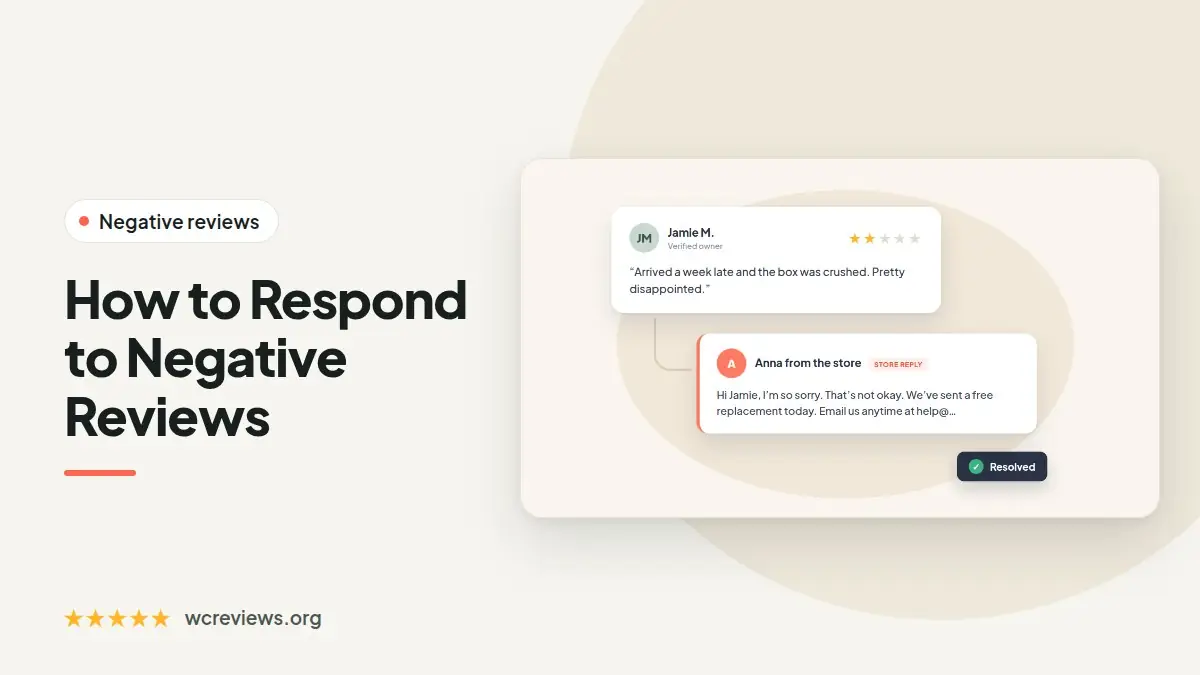
A negative review feels personal, but how you respond matters more than the review itself. A calm, helpful reply shows every future shopper how you treat customers when something goes wrong. For many people, that’s more convincing than a page full of 5-star ratings.
This guide covers why bad reviews aren’t the disaster they seem, when you can and can’t remove a review, a simple 4-step method for replying, 8 copy-paste templates for common situations, how to reply to reviews in WooCommerce, and the mistakes that make things worse.
Why a Negative Review Isn’t the End of the World
Shoppers don’t expect perfection. A product with only glowing 5-star reviews can look too good to be true, and many people go looking for the low ratings on purpose to see what the worst case is. When they find a fair complaint with a helpful reply, it answers their question and builds trust.
Negative reviews also give you useful information. A run of complaints about sizing, packaging, or delivery times points to something you can fix in your product description, your packaging, or your shipping settings. Fixing the cause stops the next ten complaints.
So the goal isn’t to make bad reviews disappear. It’s to answer them well, fix what you can, and keep collecting reviews from happy customers so the occasional complaint sits in context. Our guide on getting more WooCommerce reviews covers that last part.
Respond, Hide, or Delete?
Before you reply, decide whether the review should stay up at all. Most negative reviews should stay. A few shouldn’t.
Reviews you can reasonably remove
It’s normal to have review rules and to remove content that breaks them, such as reviews that:
- Are spam, or advertise another business
- Contain abuse, threats, hate speech, or obscene content
- Include someone’s personal information, such as a phone number or address
- Aren’t about the product at all, for example a complaint about a different store
- Are clearly fake, such as a review from someone with no order who describes a product you don’t sell
The key is to apply the same rules to every review, positive or negative. Write your rules down, even as a short note in your review policy, so you can follow them consistently.
Reviews you should leave up
A review that’s negative, harsh, or unfair, but is a real customer’s honest experience, should stay. Removing it because it’s negative is risky for two reasons.
First, shoppers notice. A product with no criticism at all looks curated. Second, in the US the FTC’s Consumer Reviews and Testimonials Rule, in force since October 2024, treats “review suppression” as a violation. That includes suggesting that the reviews you display are all or most of your reviews when you’ve hidden some because they were negative. It also covers using unfounded legal threats, intimidation, or false accusations to stop people posting reviews or to get them removed. Separately, the Consumer Review Fairness Act generally makes it illegal to use contract terms that stop customers from posting honest reviews.
Rules differ by country, so check what applies to you. The safe habit everywhere is the same: remove reviews only for breaking clear rules, never for being negative.
Don’t edit a customer’s words
WordPress lets you edit any review, but changing what a customer wrote, or changing their star rating, misrepresents their opinion. If a review contains something you need to remove, such as a phone number, remove only that part and leave the rest as written. Everything else belongs in your reply.
The 4-Step Method for Replying
Almost every good reply to a negative review follows the same four steps. Keep it short. Three to five sentences is plenty.
- Thank them. They took the time to tell you something went wrong, which is more than most unhappy customers do.
- Own the problem. Apologize for their experience in plain words. Don’t argue, make excuses, or blame the courier, even when it wasn’t your fault.
- Offer a fix. Say what you’re doing about it: a replacement, a refund, a change to the product page, or a conversation to sort it out.
- Take it offline. Give a direct way to reach you, such as a support email, so the details don’t play out in public.
Remember who you’re really writing for. The customer who left the review will read your reply once. Future shoppers will read it every time they check the low ratings. Write for them: calm, specific, and helpful.
Reply quickly, too. Aim for within a day or two. A fast, polite response often turns an angry customer into a satisfied one, and a review left unanswered for weeks suggests nobody’s listening.
8 Templates for Common Situations
Use these as starting points, not scripts. Always add one detail from the customer’s review, such as the product name or the specific problem, so the reply doesn’t sound copied.
1. Late delivery
Hi [first name], thank you for letting us know, and I’m sorry your took so long to arrive. That’s not the experience we want anyone to have. I’ve looked into your order and [what happened, briefly]. If you’d like a refund on your shipping, just reply to your order email or contact us at [support email] and we’ll sort it out straight away.
2. Damaged or faulty product
Hi [first name], I’m really sorry your arrived [damaged / not working]. That shouldn’t happen, and we’d like to make it right. Please email us at [support email] with your order number and a photo if you can, and we’ll send a replacement or a full refund, whichever you prefer. You won’t need to send the damaged item back.
3. Wrong size or poor fit
Hi [first name], thanks for the honest feedback on the fit. You’re not the first to mention that runs [small / large], so we’ve updated the size guide on this page to make that clearer. We’d be happy to swap yours for a different size at no cost. Just contact us at [support email].
4. The product didn’t meet expectations
Hi [first name], I’m sorry wasn’t what you hoped for. Thank you for explaining why. It helps us improve how we describe it. If you’d like to return it, our [return period] return policy covers you, and you can start a return at [returns link] or by emailing [support email].
5. Bad customer service experience
Hi [first name], I’m sorry. You should have had a faster and more helpful answer from us. I’ve shared your feedback with our team. I’d like to sort this out personally, so please email me directly at [your email] and I’ll make sure it’s resolved.
6. A complaint that’s not quite fair
Sometimes a reviewer gets the facts wrong, for example saying an item had no instructions when they were in the box. Correct the facts politely, without saying “you’re wrong”:
Hi [first name], thanks for your review, and I’m sorry setup was frustrating. The instructions come as a printed card in the bottom of the box, but they’re easy to miss, so we’ve also added a PDF version to this product page: [link]. If you’d like a hand getting it working, email us at [support email] and we’ll walk you through it.
7. Rude or angry review
Stay calm and stick to the facts. Never match the customer’s tone. Shoppers judge the store by its reply, not by the review.
Hi [first name], I’m sorry this left you so frustrated. We take your feedback seriously and want to put it right. Please contact us at [support email] with your order details, and we’ll do everything we can to help.
8. A review you can’t match to an order
If you can’t find the customer in your orders, don’t accuse them of lying. They may have bought under a different name, or as a gift. Ask politely:
Hi [first name], I’m sorry to hear about this. I couldn’t find an order under this name, so it may have been placed under a different name or email. Could you contact us at [support email] with your order number? We’d like to look into it and help.
If the review breaks your review rules, such as spam or a clear fake for a product you don’t sell, remove it under those rules rather than replying.
How to Reply to Reviews in WooCommerce
WooCommerce has replies built in. Here’s how to use them:
- Go to Products > Reviews in your dashboard.
- Hover over the review and click Reply.
- Write your response in the box that opens below the review and click the reply button to submit.
Your reply is published right away and appears with the review on the product page. A few useful details:
- Replies don’t affect the rating. WooCommerce counts only the original reviews in a product’s star average and review count, so your reply won’t change either.
- Check how replies are shown. If Enable threaded (nested) comments is on in Settings > Discussion, which is the default, your reply appears indented under the review. If it’s off, replies show as separate entries in the list, which can look confusing.
- Reply under a recognizable name. The reply shows the display name of the account you’re logged in with. Set your profile’s display name to something like “Anna from [Store name]” in Users > Profile, so shoppers can see the reply comes from the store.
- Photo and video reviews work the same way. If you use ReviQuo to collect photo and video reviews, they’re stored as standard WooCommerce reviews, so you reply to them in exactly the same place. Disclosure: ReviQuo is our plugin.
If reviews don’t seem to appear after you approve or reply to them, see our guide on fixing WooCommerce reviews that aren’t showing.
After You Reply: Follow Up and Fix the Cause
A public reply is only half the job. What happens next is what actually changes the customer’s mind.
- Do what you said you’d do. If you offered a replacement, send it. A promise in a reply that isn’t kept is worse than no reply at all.
- Consider asking for an update, carefully. Once the problem is solved, it’s fine to let the customer know they’re welcome to update their review if their experience has changed. Keep it optional, and never make a refund or replacement depend on them changing or removing their review.
- Look for patterns. Once a month, read your 1 to 3-star reviews together. Repeated complaints about the same thing are your most useful to-do list.
- Update the product page. If customers keep misunderstanding something, such as sizing, materials, or what’s in the box, make it clearer in the description. That prevents the next complaint.
7 Mistakes to Avoid
- Arguing in public. Even when you’re right, a back-and-forth with a customer makes the store look bad.
- Copy-pasting the same reply everywhere. Identical replies under every bad review look automated and uncaring.
- Revealing order details. Don’t post a customer’s full name, address, or order history in a public reply.
- Ignoring negative reviews. Silence suggests you don’t care, or that the complaint is true and you have no answer.
- Offering compensation in exchange for removing a review. It’s dishonest, and it can break consumer protection rules.
- Deleting or hiding honest negative reviews. See the section on review suppression above.
- Writing fake positive reviews to balance things out. It’s deceptive, and in the US the FTC rule specifically prohibits fake reviews. The honest fix is to ask more real customers for reviews.
Frequently Asked Questions
Should I respond to every negative review?
Yes, if you can. Every reply shows future shoppers how you handle problems. The only exceptions are reviews you remove for breaking your review rules, such as spam or abuse.
How quickly should I respond to a negative review?
Within a day or two if possible. A fast reply shows you’re paying attention and gives you the best chance of solving the problem while the customer is still willing to talk.
Can I delete negative reviews in WooCommerce?
Technically yes, but you should only remove reviews that break clear rules you apply to every review, such as spam, abuse, or personal information. Removing honest reviews because they’re negative misleads shoppers and, in the US, can count as review suppression under the FTC’s rule.
Can I ask a customer to change their review?
You can let them know they’re welcome to update it once the problem is solved. Don’t pressure them, and don’t make a refund, replacement, or discount depend on them changing or removing it.
Does replying to a review change my product’s star rating?
No. WooCommerce only counts the original reviews when it calculates a product’s average rating and review count. Replies don’t change either.
What should I do about a fake negative review?
If you’re confident it’s fake, for example it describes a product you don’t sell or comes from a competitor, remove it under your review rules. If you’re not sure, reply politely and ask the reviewer to contact you with their order details.
Turn Bad Reviews Into Trust
To recap: keep honest negative reviews up, reply quickly using the thank, own, fix, take-it-offline method, follow through on what you promise, and use repeated complaints to improve your products and pages. Shoppers will see a store that listens.
The best balance for the occasional bad review is a steady stream of honest reviews from happy customers. Our guides on writing review request emails and sending review reminders show you how to get them.
Collect photo and video reviews from real customers with ReviQuo.